Learning how to create and sell an ebook is one of the easiest ways to start with digital products. You do not need to be a world expert, a big name or a professional writer. You need to know more than your reader about one topic, and to explain it clearly.
This guide walks you through the whole process: choosing an idea, writing in seven simple steps, designing your ebook, picking a format and finding a place to sell it. Everything is written for beginners, with clear steps you can follow today.
The quick answer: to create and sell an ebook, pick one problem you can solve, outline your chapters, write and edit in seven steps, design it so it is easy to read, export it as a PDF or another format, and sell it where your buyers already look.
1. Why Ebooks and Guides Are a Great Place to Start
Guides and ebooks are one of the easiest digital products to start with and one of the most flexible. Done well, they also build your authority and make it easier to sell other products later.
You do not need to be an expert
A guide is simply your knowledge, organised so someone else can use it. People who have only recently solved a problem often explain it better than experts, because they remember what it felt like to be stuck.
2. Choose an Idea People Will Pay For
People do not pay for information. They pay for a shortcut to a result. That is the question to ask about every idea you have.
Solve one clear problem
Pick a specific problem, such as “how to plan a month of social media posts”, not a huge subject like “marketing”.
Check there is demand
See what people ask in comments, groups and search suggestions. If they keep asking, there is probably a need. Browse my digital products for examples of focused guides.
3. Write Your Ebook in Seven Steps
- Outline: list your chapters and the key points in each.
- Brain dump: write everything you know for each chapter without worrying about quality.
- Shape: organise each chapter into the problem, the explanation, the steps and an example.
- Edit for clarity: shorten sentences, remove jargon and cut anything that does not help the reader.
- Add action: include checklists, worksheets or tasks so readers actually use what they learn.
- Fact-check: verify claims, figures and instructions, especially if AI helped draft the text.
- Proofread: read it aloud or ask someone else to read it, because typos damage trust.
Try this: write the first chapter using these steps. Aim for clarity, not perfection. Then read it aloud and cut 20% of the words.
4. Make It Worth Paying For
Free information is everywhere. People pay for guides because they save time and reduce confusion, so organisation, clarity and practicality matter more than length.
A 25-page guide that takes someone from stuck to sorted is worth more than a 200-page book full of padding. Include:
- Specific examples and real numbers where you have them
- Step-by-step instructions
- Templates or checklists readers can use immediately
5. Design and Layout Your Ebook
A well-designed guide feels more valuable and is easier to read. Use one font for headings and one for body text, generous margins, short paragraphs and plenty of headings.
Break up the text with tables, callout boxes, checklists and the occasional image, and keep your colour palette simple and consistent with your brand. Canva has document templates that make this straightforward, but customise them so your product does not look identical to everyone else’s.
6. Choose the Right Format and Delivery
Pick the format that suits your content and your buyers. Most guides work best as a PDF, which opens on every device.
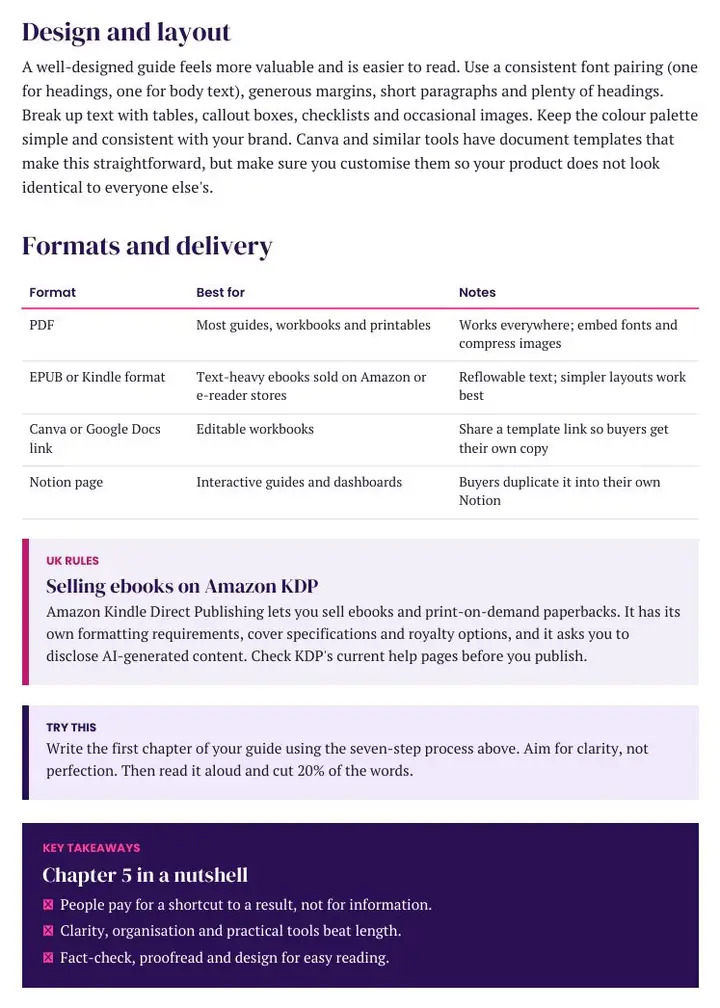
| Format | Best for |
|---|---|
| Most guides, workbooks and printables | |
| EPUB or Kindle format | Text-heavy ebooks sold on Amazon or e-reader stores |
| Canva or Google Docs link | Editable workbooks, shared as a template link |
| Notion page | Interactive guides and dashboards |
Selling ebooks on Amazon KDP
UK rules: Amazon Kindle Direct Publishing lets you sell ebooks and print-on-demand paperbacks. It has its own formatting requirements, cover specifications and royalty options, and it asks you to disclose AI-generated content. Check KDP’s current help pages before you publish.
7. Where to Sell and Promote Your Ebook
Start where your buyers already search, then add more places over time. Our guide on where to sell digital products compares the main platforms.
To find buyers, share useful tips on social media and show your ebook solving a problem. Our guides on selling digital products on TikTok and growing on Instagram explain how. Results vary and nothing is guaranteed, so please read our Earnings Disclaimer.
8. Create and Sell an Ebook FAQ
How long should an ebook be?
As long as it needs to be and no longer. Clarity and usefulness matter more than page count.
Do I need to be an expert to write an ebook?
No. You need to know more than your reader about one specific topic and explain it clearly.
What format should I use?
PDF works for most guides. Use EPUB or Kindle format for Amazon, and a shared link for editable Canva or Notion products.
Can I use AI to help write my ebook?
Yes, if you use it responsibly. Always fact-check and edit the result, and check platform rules, as KDP asks you to disclose AI-generated content.
Can I make money selling ebooks?
Some people do, but results vary and no income is guaranteed. See our Earnings Disclaimer.
Keep learning: read where to sell digital products, browse all my digital products, or learn how to sell digital products on TikTok and how to grow on Instagram to find buyers.
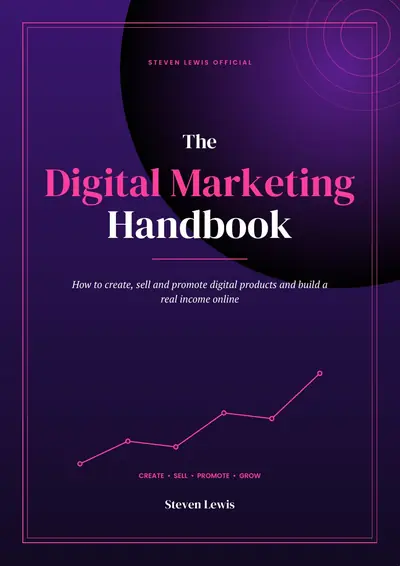
THE DIGITAL MARKETING HANDBOOK
Ready to Create Your Own Digital Products?
Learn how to create, sell and promote digital products and build a real income online, with a clear step-by-step handbook.
- 58 pages and 21 chapters
- Create, sell and promote digital products
- A 90-day action plan
- Digital download